
As a parent of two kids in 2026, I feel like I’m drowning in screens. Between smartphones, tablets, gaming consoles, smart TVs, and laptops, our household has more internet-connected devices than I can count on both hands. And while technology has brought incredible educational opportunities and entertainment into our home, it’s also opened doors I wish had stayed firmly closed—at least until my kids are older.
I’ve tried the standard parental controls that come built into devices. I’ve had “the talk” about internet safety more times than I can count. I’ve even resorted to physically checking their devices when they’re asleep, feeling like some kind of digital detective. None of it felt sustainable or particularly effective. That’s when I discovered Bark Home, and honestly, it’s changed how our family approaches internet safety.
What Actually Is Bark Home?
Bark Home is a comprehensive internet filtering and monitoring system that works at the network level, which means it protects every device connected to your home WiFi without requiring individual app installations on each gadget. For parents juggling multiple kids and countless devices, this is a game-changer.
The system comes as a small physical device that connects to your existing home router. Once set up, it creates a protective layer over your entire network, filtering content, managing screen time, and monitoring online activity across every connected device in your household. Whether your kids are on their phones, tablets, computers, or even gaming consoles, Bark Home has them covered.
Setup: Easier Than Expected
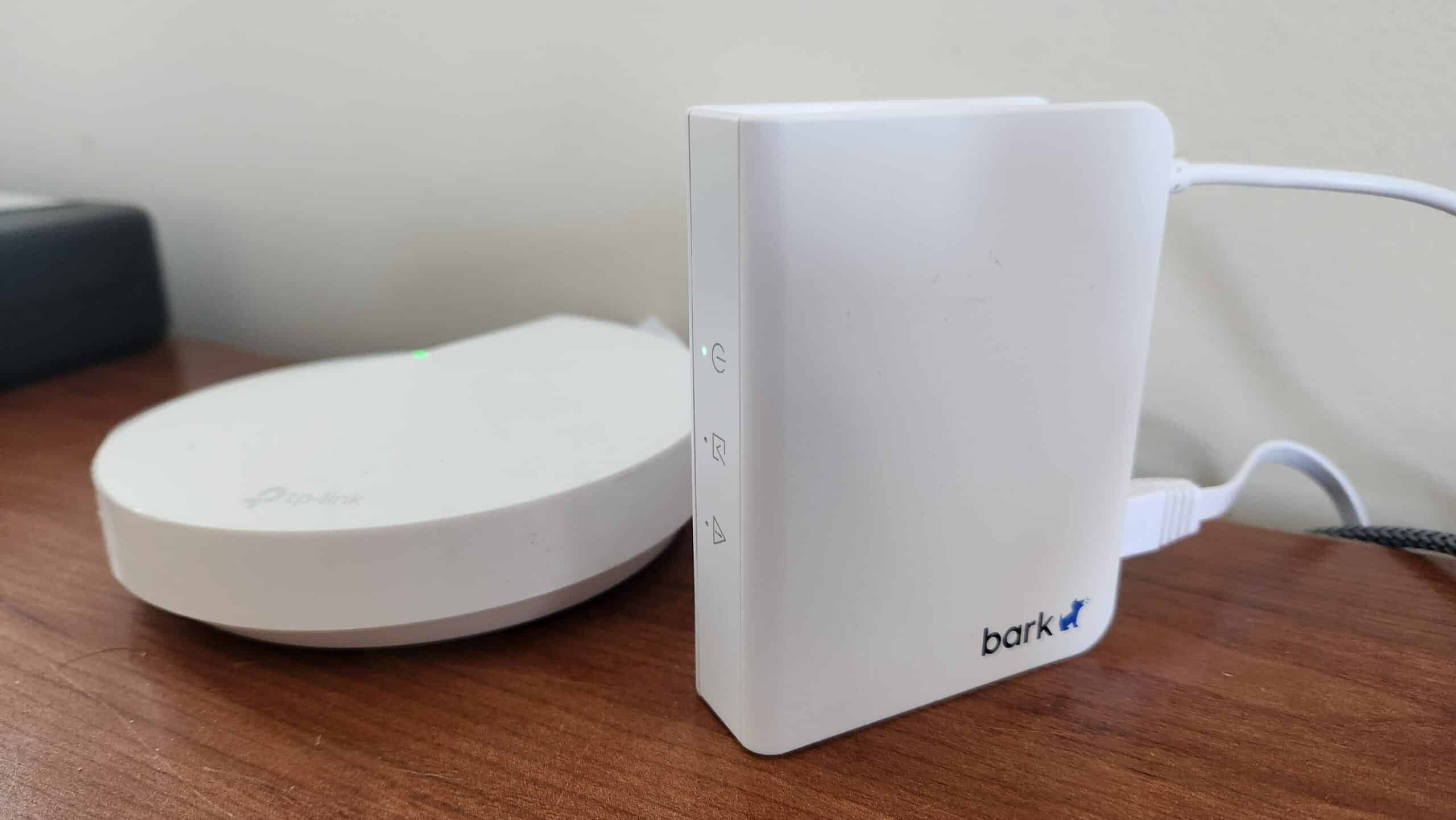
Bark Home’s hardware setup was extremely straightforward. Just plug the device into power and connect it via ethernet cable to your router. After this you go to the website app and configure the software settings.Within about ten minutes, I had it connected to our router and was already customizing settings for each child.
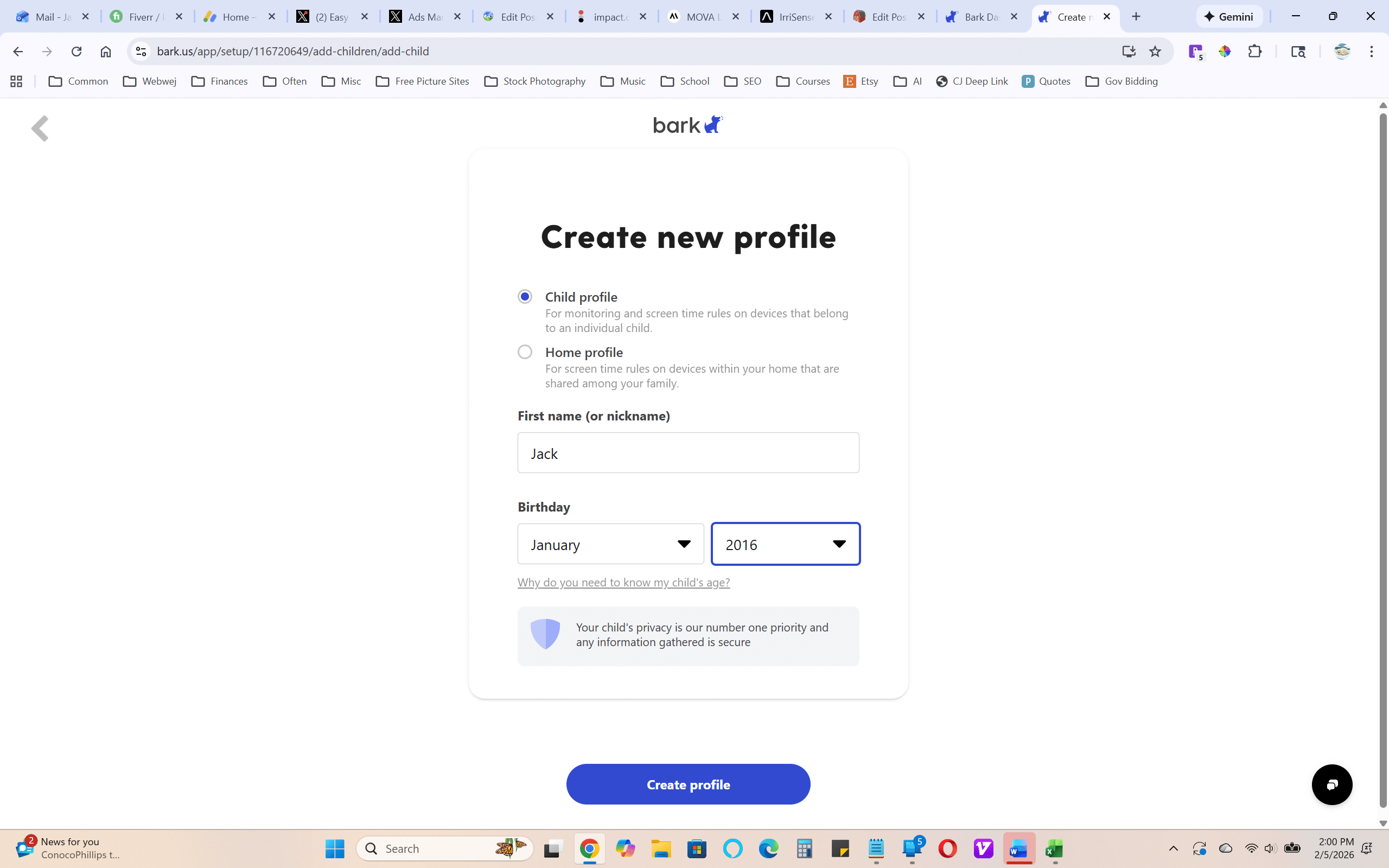
The app lets you create individual profiles for each family member, which is crucial when you have kids of different ages. My older child gets slightly more freedom than my younger one, and Bark Home makes it easy to adjust filters and time limits accordingly.
The Filtering: Comprehensive Without Being Oppressive
Here’s where Bark Home really shines. The content filtering goes far beyond simple website blocking. It uses advanced algorithms to detect and filter inappropriate content across websites, apps, and even YouTube videos. I can choose from preset filter levels or customize exactly what gets blocked.
For my family, I appreciate that it blocks explicit content, violent material, and websites related to drugs or self-harm without making the internet completely unusable. My kids can still research school projects, watch age-appropriate videos, and connect with friends online. The system is smart enough to understand context—it’s not just blocking keywords but actually analyzing content.
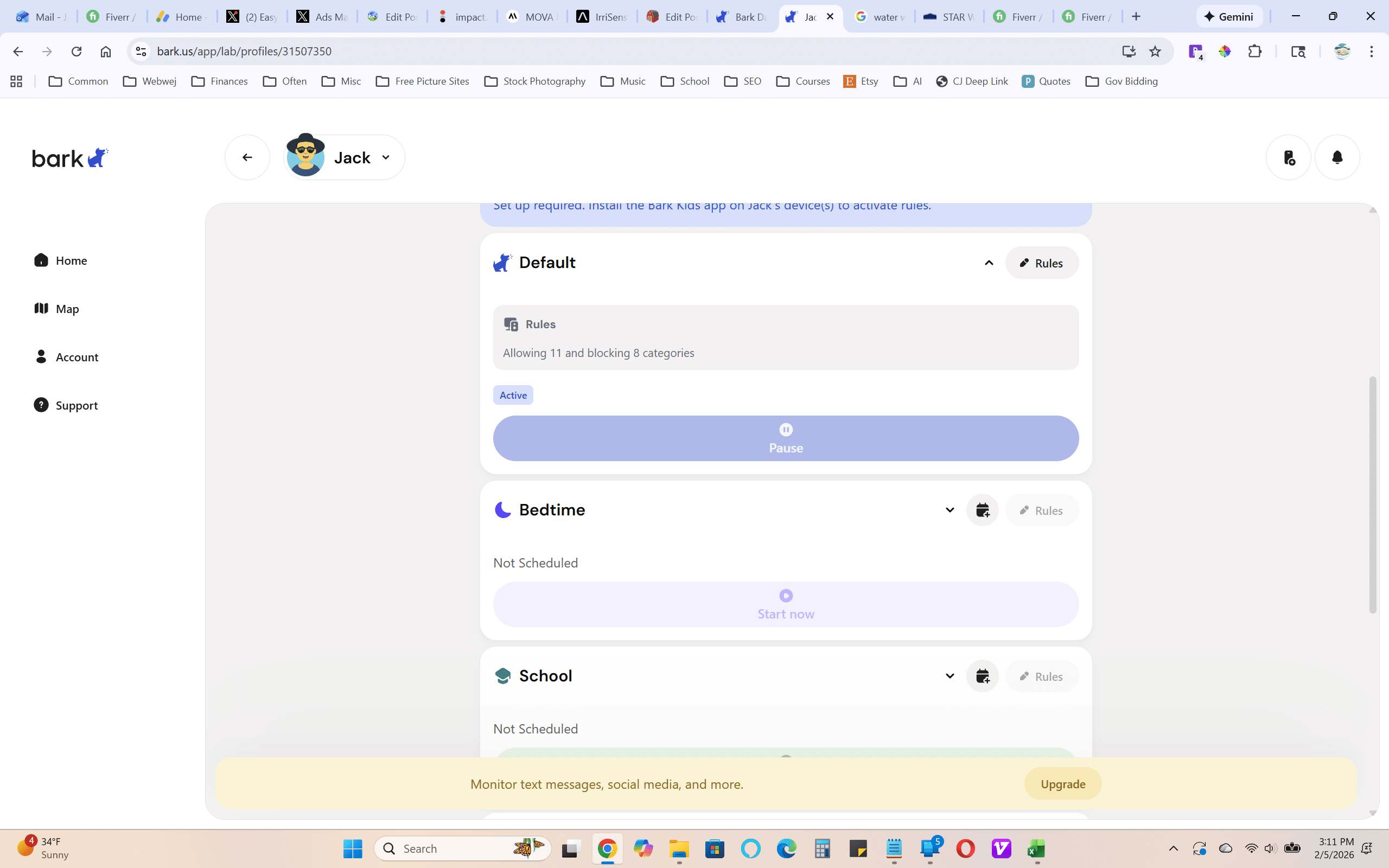
One feature I particularly value is the ability to block specific categories during certain times. For instance, social media and gaming sites are restricted during homework hours and after bedtime, but available during designated free time on weekends.
Screen Time Management That Actually Works
Before Bark Home, bedtime was a battlefield. Devices would mysteriously still be glowing under blankets at midnight. Now, I can set schedules that automatically pause internet access during homework time, family dinner, and after bedtime. The internet simply stops working on their devices during blocked hours—no arguments, no negotiations, no stress.
I can also set daily time limits for different types of content. Gaming gets two hours on school days, social media gets an hour, but educational content is unlimited. When my kids hit their limits, they see a friendly message explaining why access is paused, which has actually sparked some good conversations about digital wellness.
Monitoring: Peace of Mind Without Invasion
This is where I had to think carefully about my parenting philosophy. I don’t want to read every message my kids send, but I do want to know if they’re in danger. Bark Home strikes a reasonable balance.
The system sends alerts about potentially concerning activity—things like cyberbullying, contact from strangers, or searches related to depression or violence. I’m not reading their private conversations, but I am getting notified about red flags that warrant a conversation.
Just last month, I received an alert that my oldest had been searching for information about eating disorders. Without that notification, I might never have known they were struggling. It opened a door for us to talk, and we got them the support they needed. For that alone, Bark Home has been worth every penny.
Managing Multiple Devices (The Real Challenge)
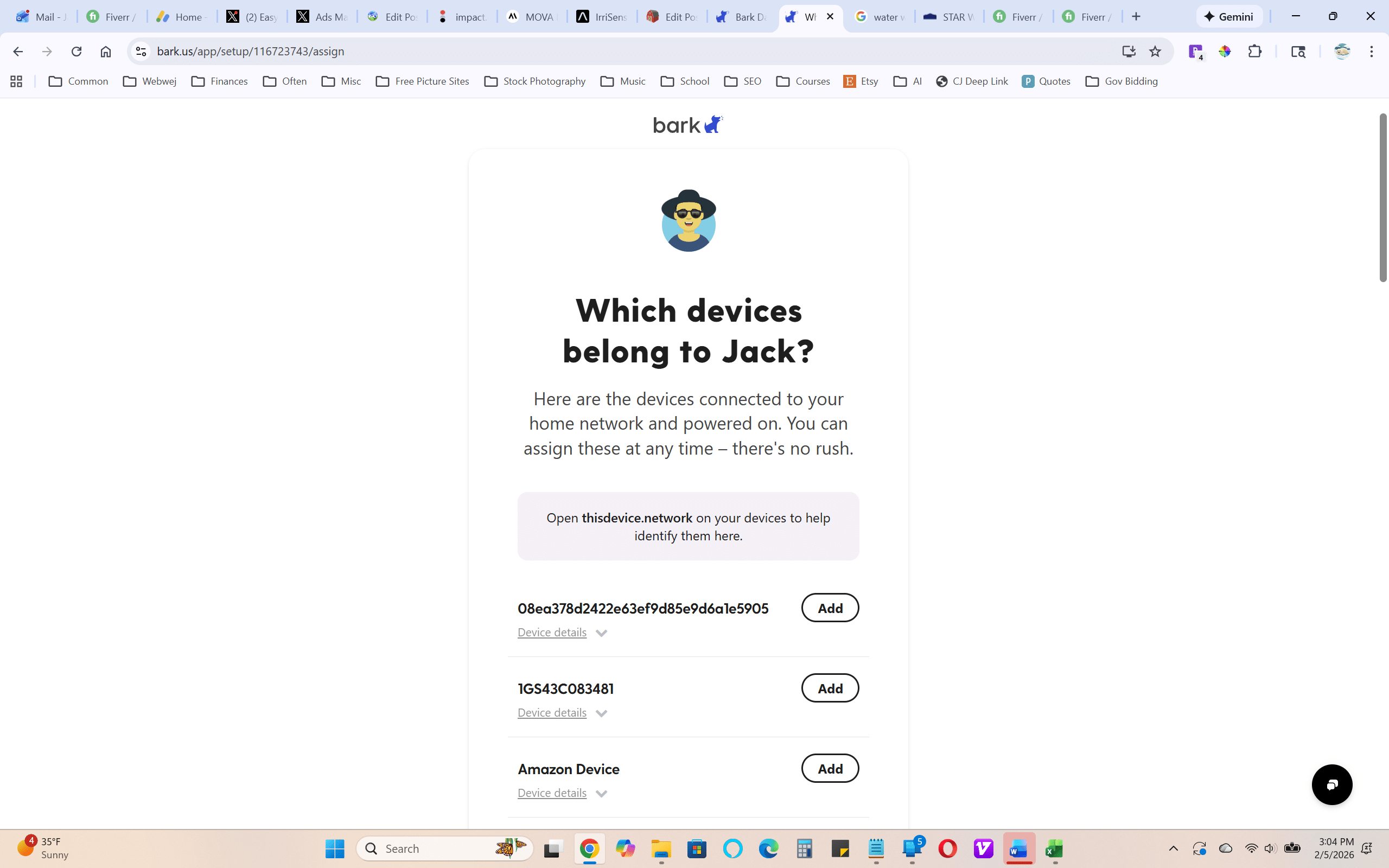
With two kids who each have a phone, a tablet, and share access to computers and gaming systems, we’re managing at least ten internet-connected devices. The beauty of Bark Home is that I’m not installing software on each device or trying to remember passwords for different parental control systems. Everything is managed from one central dashboard.
When my youngest got a new tablet for their birthday, it was automatically protected the moment it connected to our WiFi. No additional setup required. That kind of simplicity is invaluable when you’re already juggling a million parenting responsibilities.
Is It Worth It?
Bark Home requires a subscription after purchasing the hardware device, which might give some parents pause. But I consider the $6 monthly fee to be very reasonable. For a service that strives to avoid having my kids encounter traumatic content online, the cost feels quite low actually.
The peace of mind alone is priceless. I sleep better knowing that my kids can’t accidentally stumble onto harmful content at two in the morning. I feel more confident letting them use their devices independently because I have systems in place to catch potential problems.
Beyond the Home: Bark’s Complete Ecosystem
While Bark Home handles protection at the network level, Bark has also developed other products that extend safety beyond our WiFi network. They offer the Bark Phone, which is essentially a smartphone designed specifically for kids with built-in parental controls. It’s a real smartphone, not a dumbed-down device, but with guardrails already in place. For parents wrestling with the question of when to give their child a phone, it offers a middle ground between a basic flip phone and handing over a completely unrestricted smartphone.
Bark also makes the Bark Watch, a GPS-enabled smartwatch for younger kids who aren’t ready for a phone yet. My youngest wears one, and I love that they can call or text a small list of approved contacts, and I can see their location if needed. It gives them a taste of independence and connectivity without the full risks of internet access. It’s been perfect for that transition period before they’re ready for a real phone.
These products work seamlessly with Bark Home, all managed through the same parent app. It’s reassuring to know that whether my kids are at home on the WiFi, at school with their Bark Phone, or at the park with their Bark Watch, there’s a consistent layer of protection following them.
The Bottom Line
Raising kids in the digital age is terrifying. We’re navigating territory our own parents never had to consider, making up the rules as we go. Bark Home doesn’t solve every challenge of digital parenting, but it provides a strong foundation of protection without turning me into a helicopter parent constantly hovering over shoulders.
For parents managing multiple kids and countless devices, Bark Home offers comprehensive protection that actually scales with your family. It’s not perfect—no filtering system is—but it’s the most effective tool I’ve found for keeping my kids safer online while still allowing them the independence they need to grow.